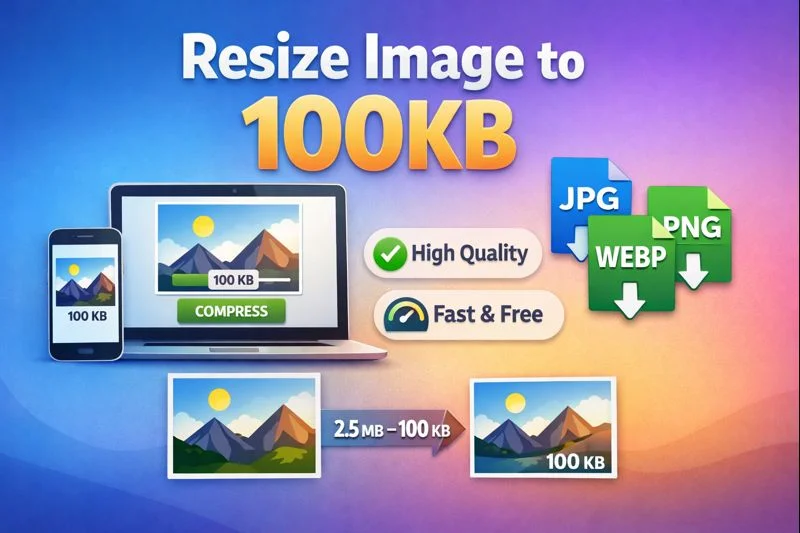
How to Resize Image to 100KB Online (Fast & Easy Guide for High-Quality Results)
In today’s digital world, optimizing images is a must for faster website loading, better SEO, and a smoother user experience. One common requirement is to resize image to 100KB Online — whether for uploading to websites with strict size limits, compressing images for performance, or preparing assets for mobile platforms.
In this guide, you’ll learn what it means to reduce your image size to 100KB Online, the best tools available, how to do it without losing quality, and expert tips that will help you optimize like a pro.
🔍 Why Resize Image to 100KB Online?
Before we jump into how to resize images, it’s essential to understand why this matters.
1. Improved SEO & Page Speed
Search engines like Google use page speed as a ranking factor. Large images slow down your website, especially on mobile. By resizing images to under 100KB, you:
- Improve site loading times.
- Reduce bounce rates.
- Enhance user experience and search visibility.
According to Google, optimizing images is one of the fastest ways to improve site performance. ✨ (Source: Google Developers)
2. File Upload Limits
Many platforms — from social networks to CMSs and online forms — restrict image upload size. Resizing an image to 100KB ensures your image meets most upload requirements.
3. Data Savings & Mobile Optimization
Smaller images save bandwidth. This is crucial for mobile users or audiences in regions with limited internet speeds.
📌 Best Practices Before You Resize
Before resizing your image to 100KB, consider these key steps:
➤ Choose the Right Format
Image formats matter:
- JPEG is best for photos
- PNG for graphics with transparency
- WebP for modern web usage — high quality at smaller sizes
Learn more about image format conversions using tools like the WebP to PNG Converter and WebP to JPG Converter.
👉 Convert between formats:
- WebP to PNG: https://imageresizer.org.in/webp-to-png-converter/
- WebP to JPG: https://imageresizer.org.in/webp-to-jpg-converter/
➤ Start With a Good Resolution
If your original file is massive (like a 4K image), downscaling the resolution first helps significantly before compressing to 100KB.
🛠️ How to Resize an Image to 100KB Online (Step-by-Step)
There are several reliable ways to resize an image to 100KB online — both online and offline.
✅ 1. Use an Online Image Resizer
Online tools are fast and convenient — no installation needed. One of the easiest tools is the Image Resizer.
✔️ Visit: https://imageresizer.org.in/image-resizer-tool/
✔️ Upload your image
✔️ Set the quality or file size target (100KB)
✔️ Download the resized image
This tool also supports batch resizing — great for handling multiple images at once.
✅ 2. Compress Images Based on File Size
Some tools let you specify the target size, like 100KB, and automatically optimize compression until the requirements are met.
✔️ Tool for size-based compression:
👉 https://imageresizer.org.in/size-image-reducer-image-reducer-in-kb/
With this tool:
- Upload image
- Select target size = 100KB
- Download optimized file with minimal quality loss
✅ 3. Use Desktop Tools
If you prefer offline tools, programs like Adobe Photoshop, GIMP, or ImageMagick are great options.
Photoshop Example:
- Open the image.
- Go to File > Export > Save for Web (Legacy)…
- Choose JPEG and adjust quality until the preview size approximates 100KB.
- Click Save.
📌 Tips for Optimal Quality at 100KB
Resizing to a specific file size — especially small like 100KB — can impact quality. Follow these tips for better results:
🔹 Start With a Reasonable Resolution
Higher resolution pictures consume more space. Reduce dimensions (e.g., from 4000×3000 to 1200×900) before compressing.
🔹 Use Modern Formats
WebP offers superior compression compared to JPEG/PNG, often fitting better within 100KB while retaining quality.
Learn more about converting formats:
- https://imageresizer.org.in/webp-to-png-converter/
- https://imageresizer.org.in/webp-to-jpg-converter/
🔹 Adjust Compression Incrementally
If your tool allows manual quality adjustments, try reducing quality in steps until your output reaches 100KB.
📊 Quality vs. File Size: What to Expect
Here’s what typically happens when you resize images down to 100KB:
| Image Type | Typical Quality Outcome |
|---|---|
| Photos | Slight softness, acceptable on web |
| Graphics/Logos | Minimal quality loss |
| Detailed images | Noticeable compression artifacts |
💡 Tip: Choose the right balance depending on your use. If it’s a hero image on your homepage, consider slightly higher size (150-200KB).
🧰 Other Useful Tools & Resources
When resizing images to 100KB, you might also find these tools helpful:
🖼️ External Tools
- TinyPNG / TinyJPG – PNG/JPG optimizer trusted by millions
https://tinypng.com - Raza Webtools – Powerful open-source image compressor by Google
Image Resizer Online - Kraken.io – Advanced image optimization API & UI tool
https://kraken.io
📄 Image SEO Guidelines
Optimized images boost performance — but also make your site more accessible and search-friendly.
For guidelines, visit Google’s image optimization best practices:
https://developers.google.com/web/fundamentals/performance/optimizing-content-efficiency/image-optimization
🤔 Common Questions About Resizing Images to 100KB
❓ Does resizing to 100KB reduce resolution?
Yes — to achieve the target file size, the tool might reduce resolution or increase compression. This is typical and expected.
❓ Will image quality look bad at 100KB?
Not necessarily! With the right tools and settings, you can retain clarity even at small sizes — especially for web usage.
❓ What’s the difference between compression and resizing?
- Compression reduces the file size by lowering quality or using smarter encoding.
- Resizing changes the physical dimensions (px width/height) of the image.
Both are often used together to reach a specific size like 100KB.
🚀 Final Thoughts
Resizing an image to 100KB is a practical skill that boosts web performance, enhances user experience, and improves SEO rankings. With tools like Image Resizer, Size Image Reducer, and format converters (WebP ↔ PNG/JPG), the process becomes fast — even for beginners.
✨ Remember:
- Always choose the right format.
- Prefer modern compression like WebP whenever possible.
- Test different quality settings to preserve visual fidelity.
If you’re ready to get started, try resizing your image now with this tool:
👉 Resize image to 100KB instantly: https://imageresizer.org.in/image-resizer-tool/
Need help with bulk image resizing or choosing the perfect format? I’d be happy to help — just ask! 😊