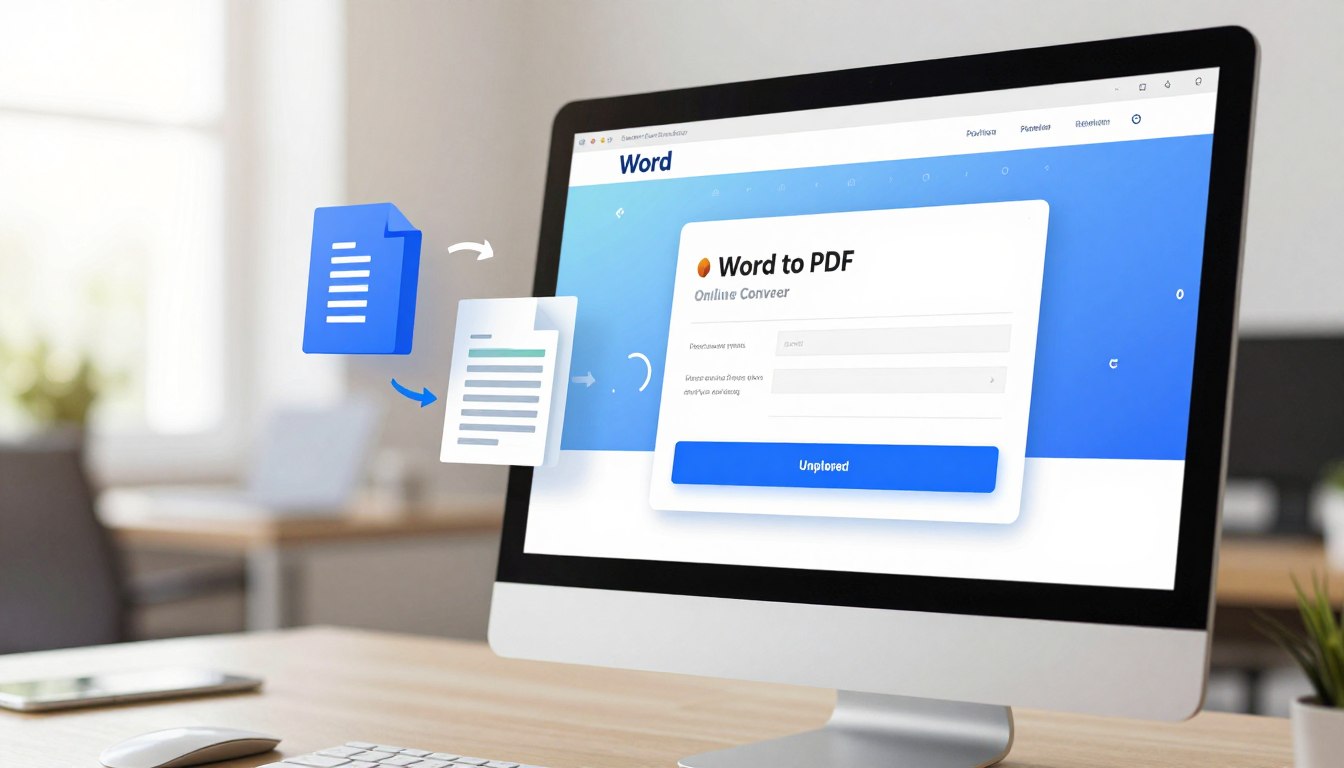
Free Online Word to PDF Converter
In today’s fast-paced digital world, managing documents efficiently is crucial for students and professionals in India. You often need a reliable free online word to pdf converter to ensure your files maintain their formatting when shared.
Whether you are submitting an academic assignment or sending a business proposal, having the right tools makes a huge difference. Our platform provides a seamless experience for anyone looking to handle their paperwork with ease.
Convert PDF to Editable Word
Need to edit your CTET notes or Answer Key PDF? Use this free pro tool to convert documents instantly.
Try PDF to Word Converter →You can now perform a free word to pdf convert online without worrying about complex software installations. We prioritize your security while ensuring that your documents are processed quickly. Discover how our simple interface streamlines your daily tasks and saves you valuable time.
Key Takeaways
- Quickly transform your documents without installing heavy software.
- Maintain original formatting and layout during the file transition.
- Access the tool from any device, including smartphones and laptops.
- Ensure your sensitive data remains private and secure throughout the process.
- Improve your productivity by simplifying document management workflows.
Understanding the Need for Document Conversion
The variety of file formats used today makes document conversion essential. In professional environments, it’s critical to share documents without compatibility worries. This is why converting documents to a standard format is a must.
Different operating systems and software versions often cause formatting issues when sharing documents. Document conversion is key in overcoming these problems.

Why PDF is the Standard for Professional Sharing
PDFs have become the go-to format for professional document sharing because they preserve the original layout and formatting. Unlike Word documents, PDFs are not easily editable. This makes them perfect for sharing final versions of documents.
The universality of PDFs ensures that the intended layout and formatting are maintained, regardless of the device or operating system. This consistency is crucial in professional and academic settings, where document integrity is essential.
Common Challenges with Word Document Compatibility
Despite Microsoft Word’s widespread use, different software versions can cause compatibility issues. Older versions may lack support for the latest features. Documents created in newer versions might not work with older versions.
Sharing Word documents can also lead to formatting changes due to software or user settings differences. This can result in a loss of document integrity and may require extra time to fix.
Using a reliable document conversion service, such as a best word to pdf converter, can solve these problems. It converts documents into a more universally compatible format like PDF.
How to Free Word to PDF Convert Online Safely
Understanding the steps for converting Word to PDF online is crucial. This process can be both efficient and secure if you follow the right guidelines. It ensures a smooth transition from one format to another.
Preparing Your Document for Conversion
Before starting the conversion, preparing your Word document is essential. You need to check that all elements, such as images, tables, and formatting, are correctly in place. A well-prepared document ensures the PDF output maintains the original layout and design.
“A well-structured document is key to a successful conversion.”
To prepare your document:
- Check for any corrupted or missing fonts and replace them if necessary.
- Ensure all images are properly embedded and not linked externally.
- Review the document’s layout and formatting to avoid any shifts during conversion.
Navigating the Upload Interface
Once your document is ready, navigate to a reliable online Word to PDF tool. The interface should be user-friendly, allowing you to easily upload your document.

When using an online conversion tool, look for the following features:
- A clear and simple upload process.
- Options to adjust conversion settings if needed.
- A secure connection (https) to protect your document during upload.
By following these steps, you can safely convert your Word documents to PDF online using a free online document converter.
Convert Images to PDF Pro
Need to combine your CTET Answer Key or Admit Card screenshots into a single PDF? Use our fast & free pro tool.
Open PDF Converter Pro →Step-by-Step Guide to Converting Files
Converting Word documents to PDF is now easier than ever. Our online tool is designed to streamline this process for you.
Selecting Your Word Document
To start, you must select the Word document you want to convert. Go to our online converter tool and click the “Select File” button.
Look through your computer files to find the Word document you’re converting. After choosing it, the file name will show next to the button, confirming your selection.
Initiating the Conversion Process
After selecting your Word document, the next step is to initiate the conversion process. Just click the “Convert to PDF” button.
Our tool will then convert your document into a PDF. This conversion is usually fast, taking just a few seconds, depending on the file size.
Downloading Your Final PDF
After the conversion is done, you can download your PDF document. A “Download PDF” button will appear, letting you save the file to your computer.
Click it, and your PDF will download to your default downloads folder. You can then open it with any PDF viewer to check if the conversion was successful.
By following these simple steps, you can easily convert your Word documents to PDF using our online tool. This method is not only convenient but also ensures your documents are in a widely accepted and easily shareable format.
Key Features of a Reliable Online PDF Generator
A reliable online PDF generator is essential for keeping your documents intact during conversion. When searching for a top free pdf creator, focus on its standout features.
Preserving the original formatting and layout is a top priority. As an industry expert notes, “The fidelity of the conversion process is what distinguishes a reliable PDF generator.”
“The conversion tool should be able to maintain the original document’s structure, including fonts, spacing, and margins.”
Maintaining Formatting and Layout Integrity
A quality online PDF converter should keep your Word document’s original formatting. This includes layout, fonts, and spacing. Our free document conversion service ensures your documents remain unchanged post-conversion.
Handling Large File Sizes and Complex Graphics
Another key feature is the ability to manage large files and complex graphics. Our tool is designed for easy online conversion of complex documents, ensuring a seamless process.
Ensuring High-Resolution Output
The quality of the PDF output is vital. A reliable generator should produce high-resolution documents, ideal for professional use. Using our top free pdf creator guarantees PDFs of the highest standard.
In summary, when choosing an online PDF generator, consider its formatting preservation, handling of complex documents, and output quality. Opting for a reliable service ensures a smooth conversion process.
Security and Privacy in Online File Conversion
The growth of online file conversion services has highlighted the importance of security and privacy. Users now rely heavily on online PDF generators and document conversion services. It’s essential to understand the security measures in place to protect their documents.
Data Encryption During Uploads
Using an online file conversion tool starts with uploading your document to their server. Reputable services use strong data encryption during this step. This makes your document unreadable to unauthorized parties, protecting your information from breaches.
Automatic Deletion Policies
Another key aspect is the automatic deletion policies in place. After conversion, many services delete the files from their servers. This policy ensures your documents are not stored forever, reducing the risk of unauthorized access.
Avoiding Sensitive Data in Public Tools
Even with security measures, it’s wise to avoid public or free online PDF generators for sensitive data. Public tools may lack the security of paid services. Always consider the risks of uploading confidential information online. For very sensitive documents, local conversion or a reputable, paid service is best.
Comparing Desktop Software Versus Online Tools
In today’s digital landscape, converting Word documents to PDF is a common task. Both desktop software and online tools provide solutions. The choice depends on the user’s needs, preferences, and the complexity of the documents.
Desktop software and online tools have unique advantages. Knowing these can help users decide which method is best for converting Word documents to PDF.
The Convenience of Browser-Based Conversion
Online tools, like the online word to pdf converter, offer browser-based conversion without software downloads. This is great for users who:
- Convert documents occasionally
- Don’t want to install extra software
- Need quick conversions without losing quality
Using an online word to pdf converter is easy. Users just upload their Word document, and the site handles the conversion. This method is convenient, saves time, and doesn’t use up device storage.
When to Choose Dedicated Desktop Software
Online tools are convenient, but dedicated desktop software is better in some cases. For example, users who often need to convert word document to pdf in bulk or require advanced features like editing or securing PDFs will prefer desktop software.
Desktop software offers benefits like:
- Advanced features for document manipulation and management
- More control over the conversion process and output quality
- The ability to work offline, without an internet connection
For users who value flexibility and advanced functionality, investing in a reputable desktop software for PDF conversion and management is a good choice.
In conclusion, both online tools and desktop software have their roles in document conversion. Understanding their strengths helps users pick the free document converter solution that meets their needs, whether for occasional use or demanding tasks.
Optimizing Your Documents Before Conversion
To ensure a smooth transition from Word to PDF, pre-conversion optimization is essential. This step is crucial when using a word to pdf online tool to convert your documents.
Experts stress that a well-formatted PDF is more than just converting a Word document. It’s about preserving the original layout and content. Therefore, before you convert word file to pdf online free, it’s vital to check a few key aspects of your document.
Checking Fonts and Embedded Images
One of the primary factors to consider is the fonts used in your Word document. Ensure that all fonts are embedded or widely supported to avoid any substitution issues during the conversion process. This is particularly important when you’re using a best word to pdf converter online, as the output quality can depend on how well the converter handles font embedding.
Embedded images should also be checked for resolution and format compatibility. High-resolution images in compatible formats (like JPEG or PNG) will generally convert more smoothly than low-resolution or proprietary formats.
Managing Page Breaks and Margins
Another critical aspect is managing page breaks and margins. Incorrectly placed page breaks can lead to awkward pagination in the resulting PDF. Review your document to ensure that headings, paragraphs, and images are not awkwardly split across pages.
Margins are also crucial for the overall appearance of your PDF. Ensure that your margins are appropriately set to avoid content being cut off or lost during the conversion. As a best practice, “Maintaining consistent margins throughout your document can significantly improve the readability and professional appearance of the final PDF.”
By optimizing these elements, you can ensure that your Word document converts to a high-quality PDF that meets your needs, whether you’re sharing it professionally or personally.
Troubleshooting Common Conversion Errors
Conversion tools are reliable, but errors can still happen. Knowing how to fix these issues is crucial for a smooth experience. When using an online doc to pdf converter, understanding common problems can save time. It ensures your documents are converted correctly.
Resolving Formatting Shifts
Formatting shifts are a common problem with simple word to pdf conversion. This happens when your Word document’s layout changes during conversion. To avoid this, check your document’s formatting before converting. Make sure fonts are embedded and images are correctly placed.
“The key to maintaining your document’s layout is to preview it before and after conversion,” advises a leading document conversion expert. This simple step can help spot any formatting issues early.
Handling Corrupted Word Files
Corrupted Word files can cause problems during free online word to pdf conversion. If your file is damaged, the conversion tool may not work correctly. This can lead to errors or incomplete conversions. To fix this, try opening the file in Microsoft Word and saving it again. This can sometimes repair minor damage.
- Check the file for corruption by opening it in Microsoft Word.
- Try saving the file again to a new location.
- If issues persist, consider using a file repair tool.
Dealing with Password-Protected Documents
Password-protected documents are another challenge for online conversion tools. If your Word document is locked, the tool can’t access its contents. To convert it, you must first remove the password protection.
To do this, open the document in Microsoft Word. Go to the “File” menu, select “Protect Document,” and then choose “Encrypt with Password.” Remove the password and save the document. Then, you can convert it using your preferred online doc to pdf converter.
Best Practices for Managing PDF Files in India
In today’s digital age, managing PDF files efficiently is a necessity for individuals and organizations alike in India. Effective PDF management can streamline workflows, enhance collaboration, and ensure that documents are easily accessible.
Organizing Documents for Academic and Professional Use
Organizing PDF documents is crucial for both academic and professional environments. Using a pdf converter tool can help in creating PDFs from various file formats, making it easier to manage and share documents.
- Create clear and descriptive file names for easy identification.
- Use folders and subfolders to categorize documents based on projects or topics.
- Utilize metadata and tags to make PDFs searchable.
Compressing PDFs for Faster Email Sharing
Large PDF files can be cumbersome to share via email. Compressing PDFs can significantly reduce their size, making them easier to share. A reliable document conversion service can offer compression options that maintain the quality of the PDF while reducing its size.
- Use online PDF compression tools that support high compression ratios.
- Remove unnecessary pages or elements from the PDF before sharing.
- Consider using cloud services that allow large file sharing.
By implementing these best practices, individuals and organizations in India can improve their PDF management, leading to increased productivity and efficiency.
Advanced Features of Modern PDF Converters
Modern PDF converters have evolved significantly, offering a wide range of advanced features. These tools are not just for converting files into PDF format. They also enhance document functionality and security.
Key features include merging multiple documents into one PDF and adding watermarks and digital signatures. These are invaluable for professionals and individuals handling complex documents.
Merging Multiple Documents into One PDF
Merging multiple documents into a single PDF simplifies document management. This feature allows you to combine various files, like Word documents, images, and other PDFs. It creates a unified, cohesive document.
- Easily combine multiple files into one PDF
- Maintain the original formatting and layout of the documents
- Create a single, organized document for easier sharing and storage
Adding Watermarks and Digital Signatures
Adding watermarks and digital signatures to PDFs boosts their security and authenticity. Watermarks can indicate a document’s status, like “Confidential” or “Draft.” Digital signatures verify the document’s origin and integrity securely.
Key benefits of adding watermarks and digital signatures:
- Enhanced security and authenticity
- Protection against unauthorized use or tampering
- Compliance with regulatory requirements
By leveraging these advanced features, you can elevate your document management. Your PDFs will be secure, organized, and professional.
Mobile-Friendly Conversion for On-the-Go Users
The rise in mobile use has led to the creation of mobile-friendly online conversion tools. Our service lets you convert Word to PDF online effortlessly from your smartphone browser.
Our tool is fully responsive, ensuring smooth document conversion across all devices. This is crucial for professionals always on the move, needing to share documents swiftly.
Converting Documents via Smartphone Browsers
Converting documents through a smartphone browser is simple. Just visit our website, upload your Word document, and start the conversion. Our system will then create your PDF accurately and quickly.
The process is designed to be straightforward, with clear instructions at every step. This means you can convert word to pdf online easily, without needing technical knowledge.
Syncing Files from Cloud Storage Services
Our tool also allows syncing files directly from cloud storage services. This feature removes the need to download files before converting them, making your workflow more efficient.
By integrating with leading cloud storage platforms, we make it easy to access and convert your documents anywhere, anytime. This is especially useful for collaborative projects where files are constantly shared and updated.
We’re dedicated to providing a seamless and efficient online document conversion service. You can count on us to handle your document conversion needs, whether you’re in the office or on the move.
Conclusion
Converting Word documents to PDF online is now a straightforward process, thanks to reliable tools like our free online Word to PDF converter. By following the guidelines and best practices outlined in this article, you can ensure a seamless conversion experience. This maintains the integrity of your documents.
Whether you’re in India or anywhere else in the world, our tool provides an easy word to pdf conversion solution. It is both efficient and secure. Our features include maintaining formatting and layout integrity, handling large file sizes, and ensuring high-resolution output. You can trust our best word to pdf converter to get the job done.
Take advantage of our free word to pdf convert online service to simplify your document sharing and management needs. With a few simple steps, you can convert your Word documents to PDF. Enjoy the benefits of a universally accepted file format.
FAQ
How can I ensure my layout stays perfect when I convert Word document to PDF?
Our best word to pdf converter online is designed to keep every detail of your Microsoft Word document intact. This online word to pdf converter ensures your fonts, margins, and complex tables are preserved during the file format conversion.
Is there a cost to use this online document conversion service?
No, there’s no cost. Our free word to pdf convert online service is available to everyone. It’s perfect for students and professionals alike, offering a simple word to pdf conversion without any hidden fees.
How secure is my data when I convert word file to pdf online free?
Your data security is our top priority. We use strong encryption for every online file conversion. As a trusted free document conversion service, we also delete your files from our servers shortly after processing.
Can I use this word to pdf online tool on my mobile device?
Yes, you can! Our easy word to pdf conversion interface is fully mobile-responsive. You can convert word files to pdf online from your smartphone browser. Plus, you can sync documents from Dropbox or Google Drive for an easy online conversion experience on the go.
What should I do if my Word document has high-resolution images?
Our online pdf generator handles high-resolution graphics and large file sizes with ease. Unlike basic tools, this pdf converter tool keeps your images crisp and clear, offering a professional-grade document conversion service.
Why is PDF considered the standard for sharing files over Microsoft Word?
PDFs are the standard because they offer universal compatibility. Unlike Microsoft Office versions that might alter your text, a PDF looks the same on any device. Our online doc to pdf converter ensures your recipient sees exactly what you intended.
How do I troubleshoot formatting shifts during the conversion?
For the best results with our online word to pdf tool, check your page breaks and font embeddings in the original file. If issues arise, ensure the file isn’t password-protected. Most free online word to pdf conversion tools require an unprotected file to start the convert word to pdf online process.
Can I merge multiple files or add signatures with this tool?
Yes, modern online document conversion service platforms offer advanced features. Beyond being a free document converter, you can merge multiple documents into one or add digital signatures and watermarks to enhance your documents’ security and authenticity.
How can I manage my PDFs more effectively for email sharing?
After using our best word to pdf converter, you might find the file size too large for email. We recommend using our tool’s compression feature to reduce the file size without compromising quality. This is a best practice for users worldwide, including those in high-demand environments in India and the United States.
Why choose an online tool over desktop software?
The main advantage is convenience. Our free online word to pdf conversion eliminates the need for heavy software like Adobe Acrobat. You achieve high-quality results through a simple browser-based online word to pdf converter, saving time and disk space.